 erkemoz
← All programs

Erkemoz - Source Adder for NotebookLM
A free Chrome extension that adds web pages to your NotebookLM notebooks as sources. Import a whole wiki at once; no daily limit.
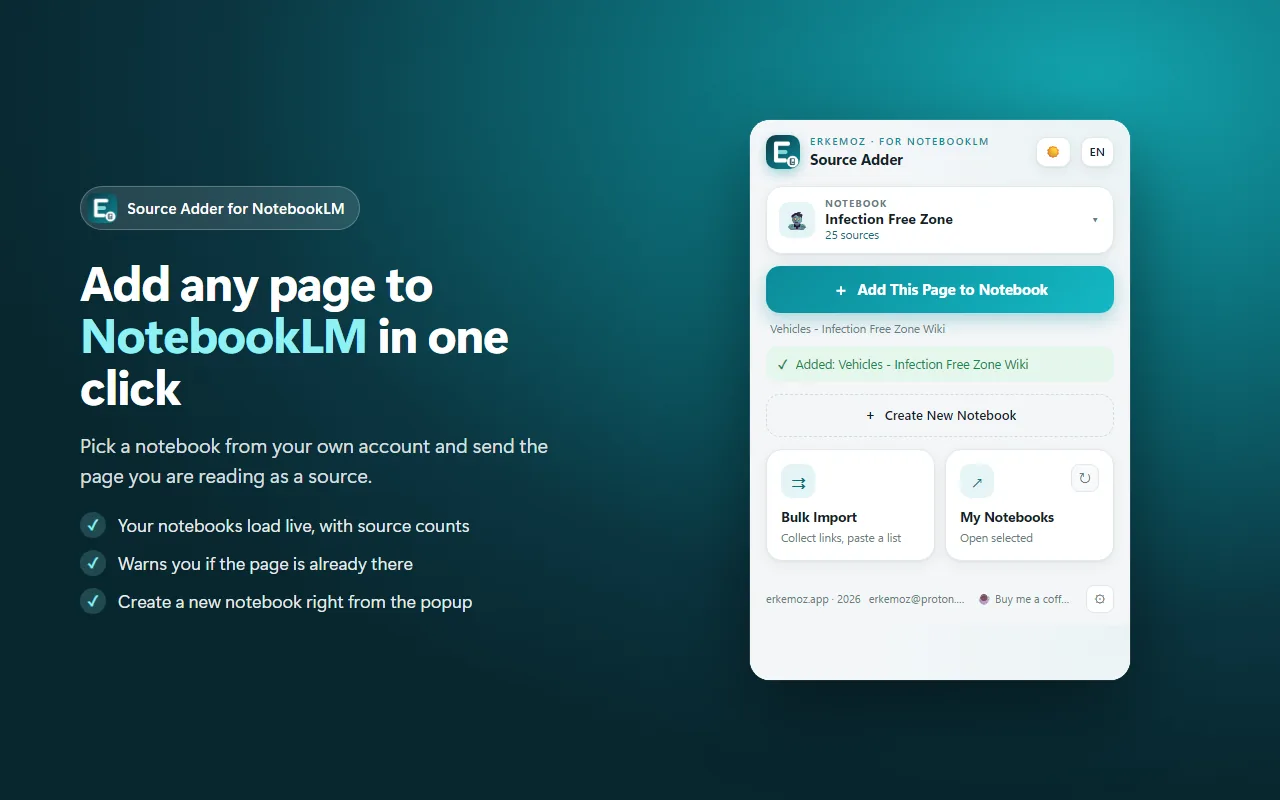
Shown in your chosen language and theme.
What it does
- Pick a notebook from your own account and add the page you're reading. Your notebooks load live with their source counts, and you can create a new one right there.
- Bulk import: collects the sub-page links of the site you're on, depth 1 to 5. Or paste a list of addresses, one per line.
- Smart filter for Fandom, wiki.gg and MediaWiki: skips talk, user, file and template pages, edit links and other languages.
- Preview before adding: titles, checkboxes and a filter. Pages already in the notebook are skipped.
- Works in the background: close the panel and keep browsing; a notification tells you when it's done.
- If NotebookLM can't read a page, the extension can add the page's own text instead. Light/dark theme, 8 languages.
Installation
- Click “Add to Chrome” and install the extension from the Chrome Web Store.
- Pin it to the toolbar: puzzle-piece icon → pin.
- Make sure you're signed in to NotebookLM in Chrome (open notebooklm.google.com once).
- On any page, click the icon, pick a notebook and press “Add This Page to Notebook”.
Good to know
- It uses the Google sign-in already in Chrome; it never asks for, stores or sends your password.
- No daily quota: the only limit is Google's own source limit per notebook.
- NotebookLM has no public API. If Google changes the site, some features may stop working until the extension is updated.
- NotebookLM and Chrome are trademarks of Google LLC. This extension isn't made or endorsed by Google.

Find the tools useful?
They're free and will stay free. If one saved you some time, you can buy me a coffee — it helps keep new programs coming.