Skip to content
erkemozerkemoz.app
← Game Patches, Mods & Cheats

Infection Free Zone Cheat Panel

Free in-game cheat panel / trainer (hile paneli). Installs with one click.

Infection Free Zone Cheat Panel v1.0

Steam · Mod

A colourful in-game cheat panel that opens with F8: set any resource to any amount, make soldiers and buildings immortal, push work speeds up to ×20, control time and weather, weaken enemies and call the Merchant instantly. In 8 languages.

No-installer package (zip) →

About

A free in-game cheat panel (trainer) for Infection Free Zone. Press F8 in the game and a colourful window lets you set resources to any amount, make your soldiers and buildings immortal, make workers up to 20× faster, control the clock and weather, weaken enemies and call the wandering Merchant on the spot.

The panel also switches on the game's own developer cheats with one click: fast construction, fast scavenging, infinite ammo, no hunger, perfect morale, fast and free research. It's built with the game's own icons and artwork, speaks 8 languages and follows your game language automatically. Setup installs the BepInEx mod loader too and never touches the original game files.

At a glance

  • Opens with F8; the hotkey can be changed
  • 8 tabs: General, Resources, Squads & People, Buildings, Time & Weather, Enemies, Research, Trade
  • 8 languages: Türkçe, English, Deutsch, Français, Español, Português, Italiano, Русский
  • BepInEx comes with the installer; nothing else to install

Screenshots

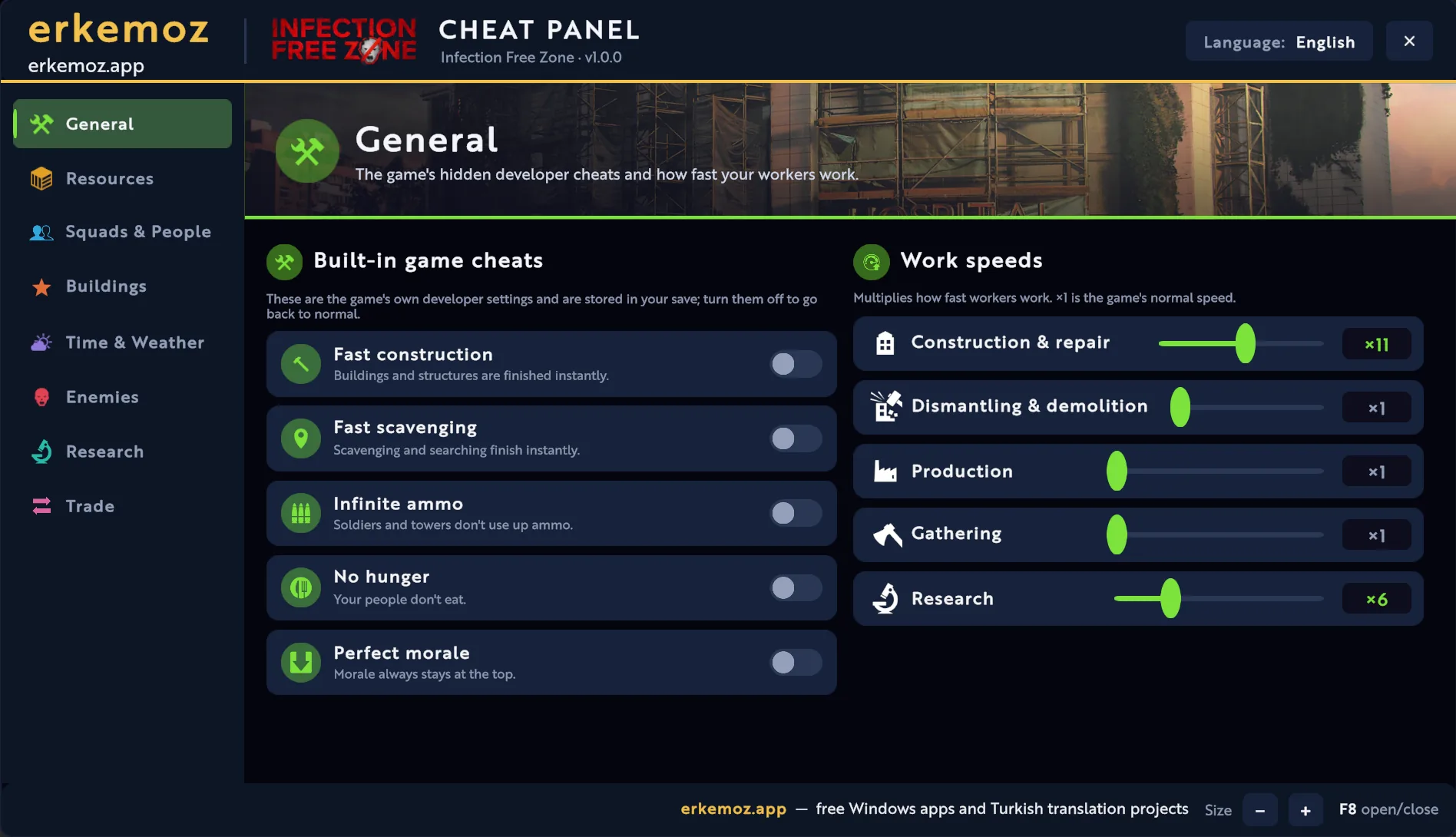
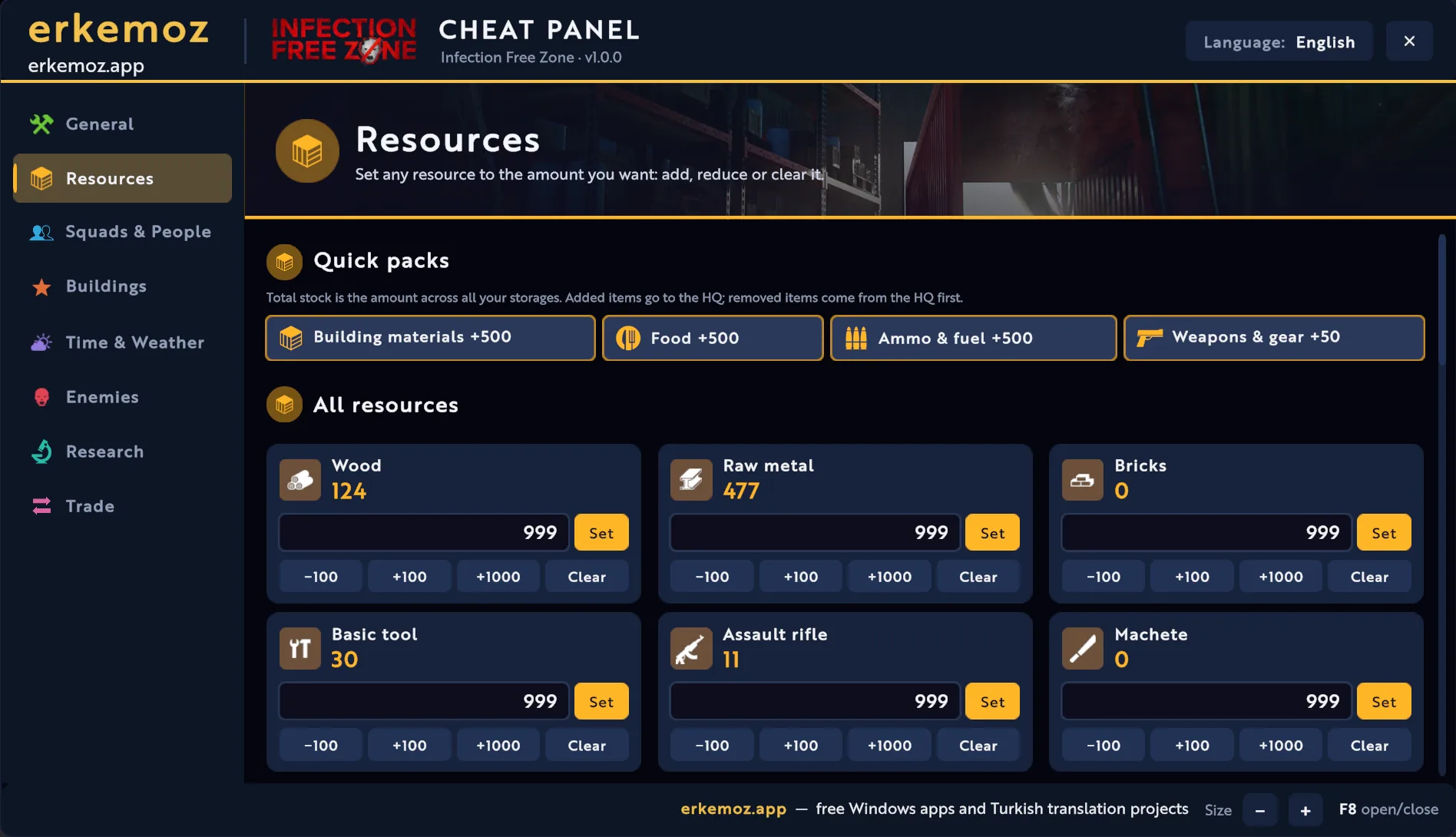
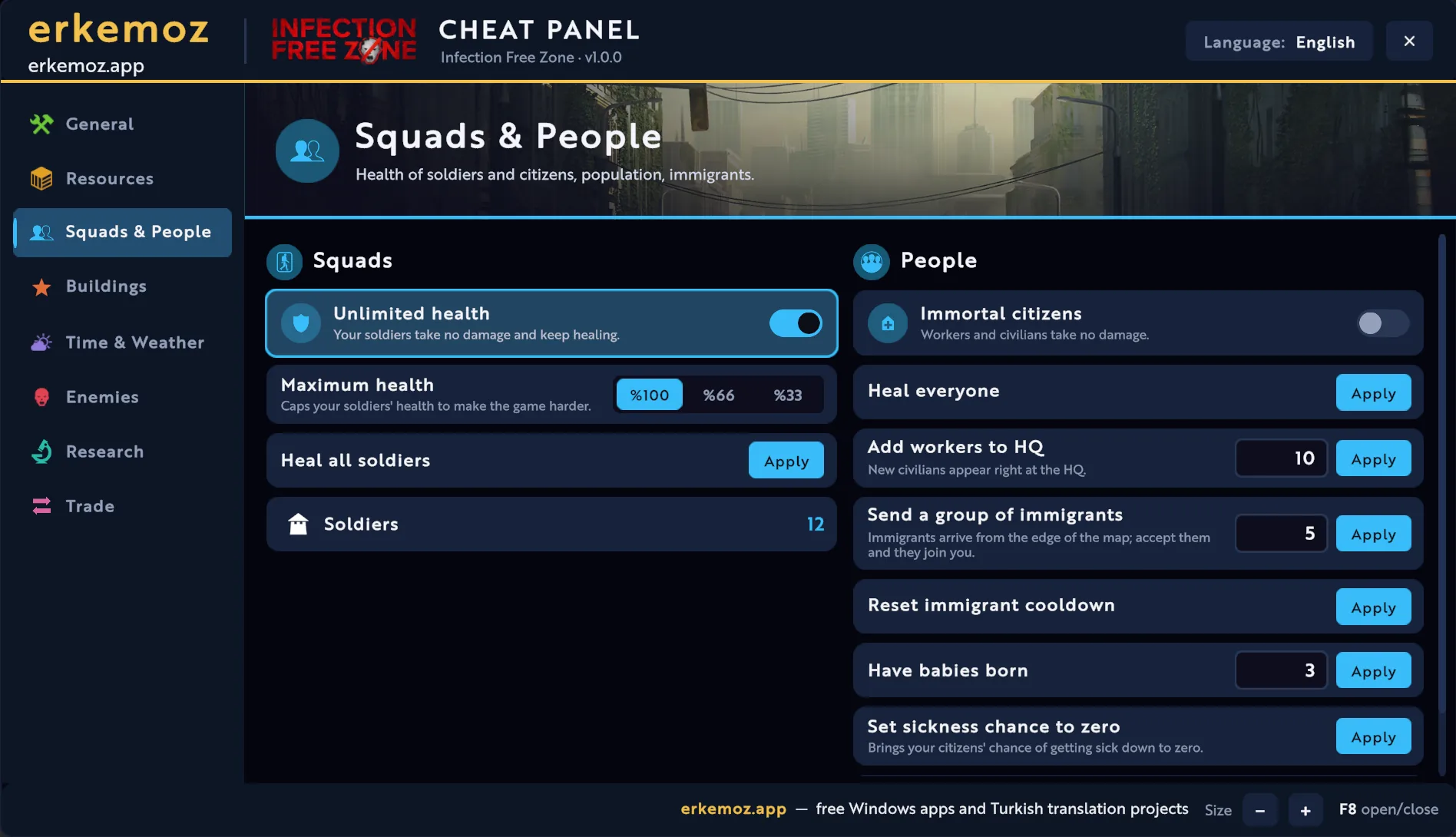
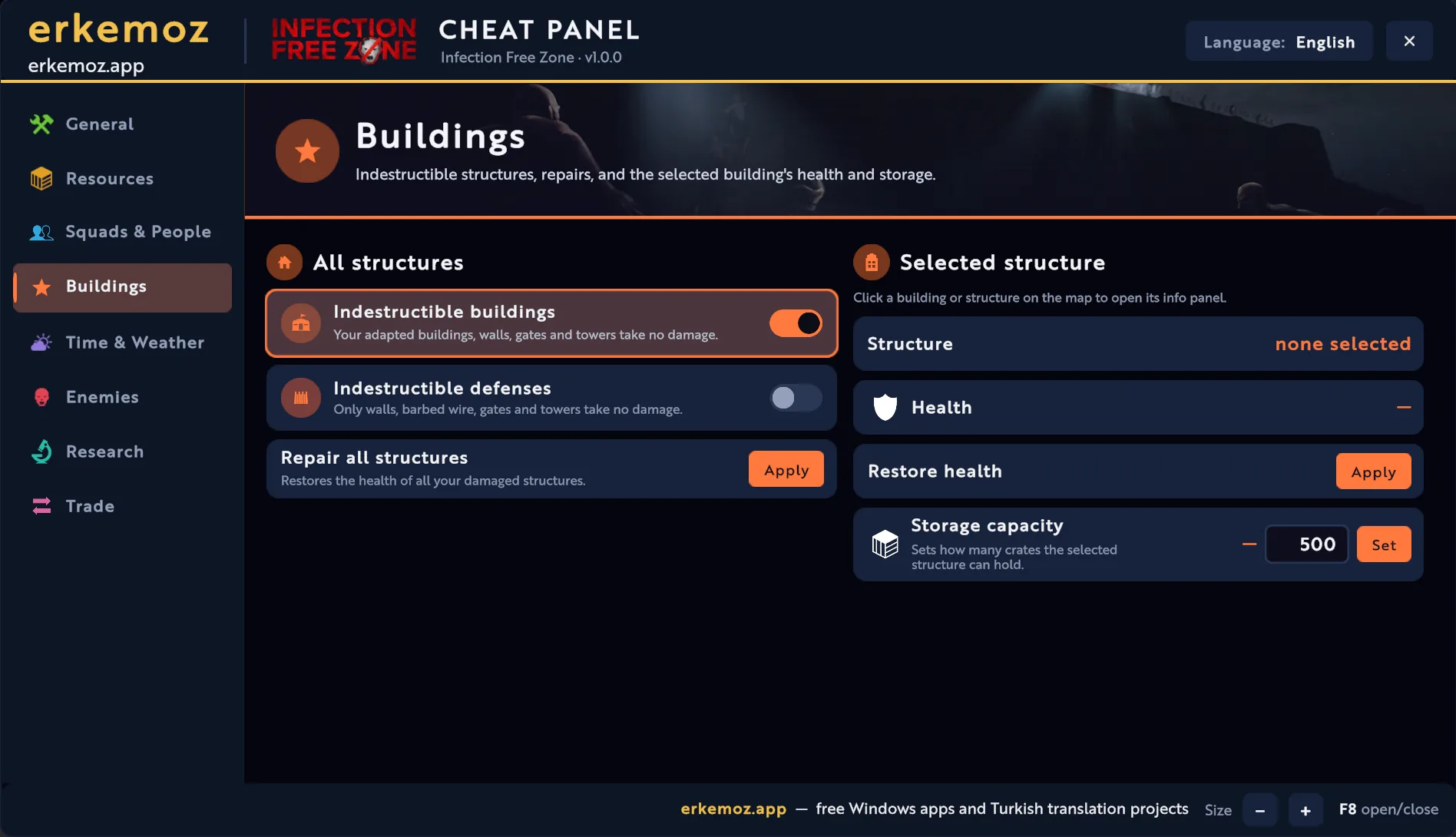
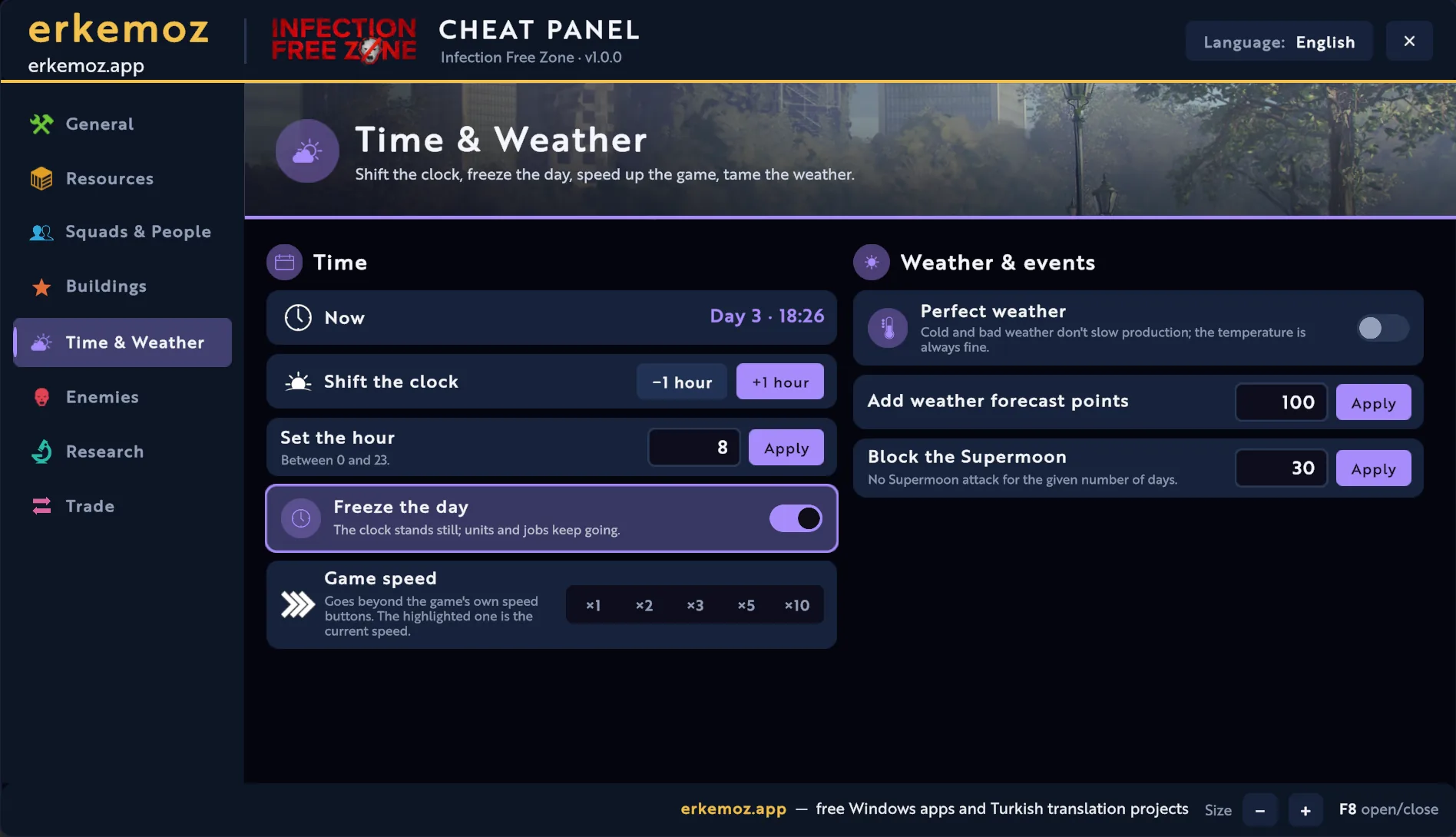
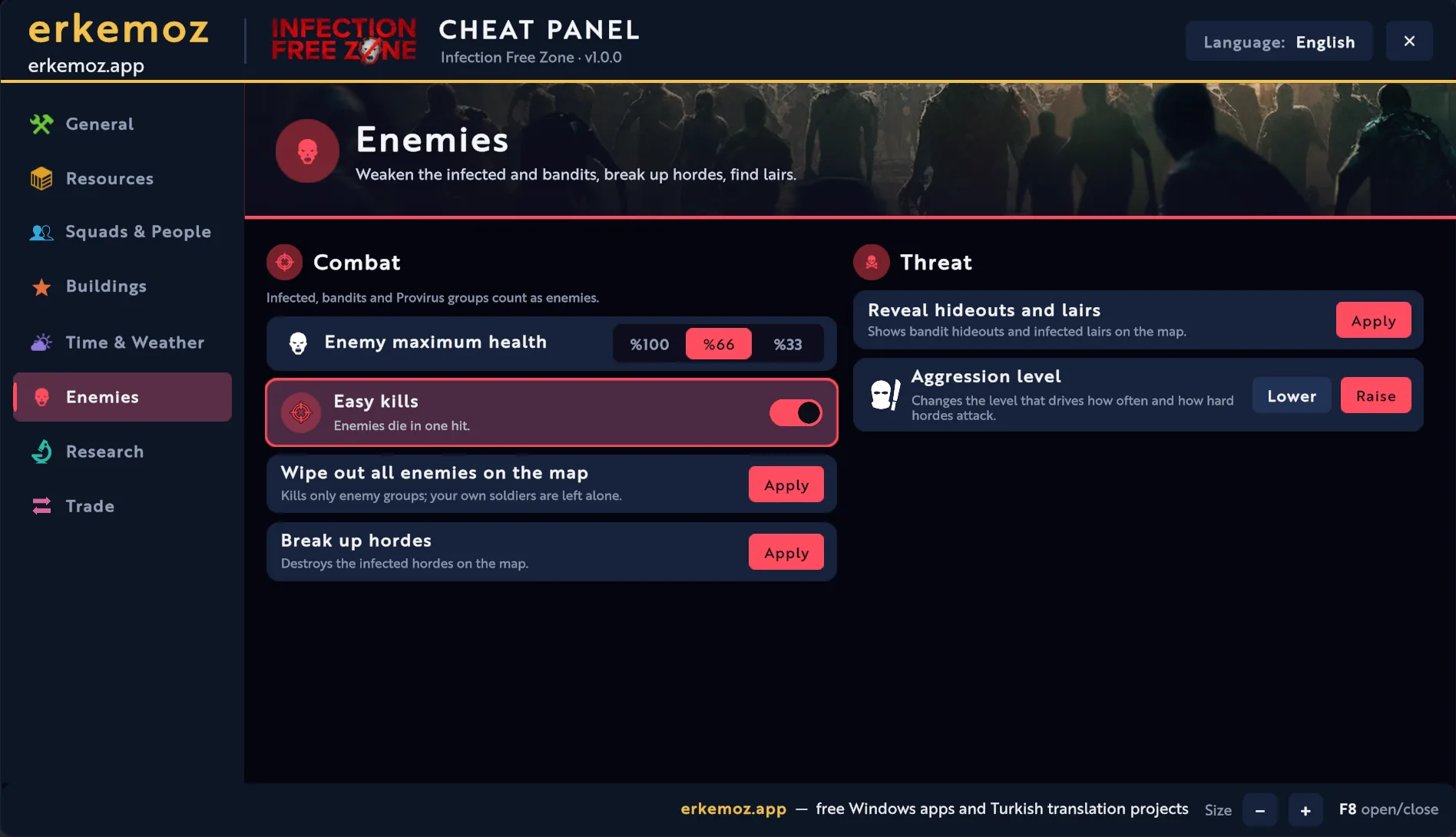
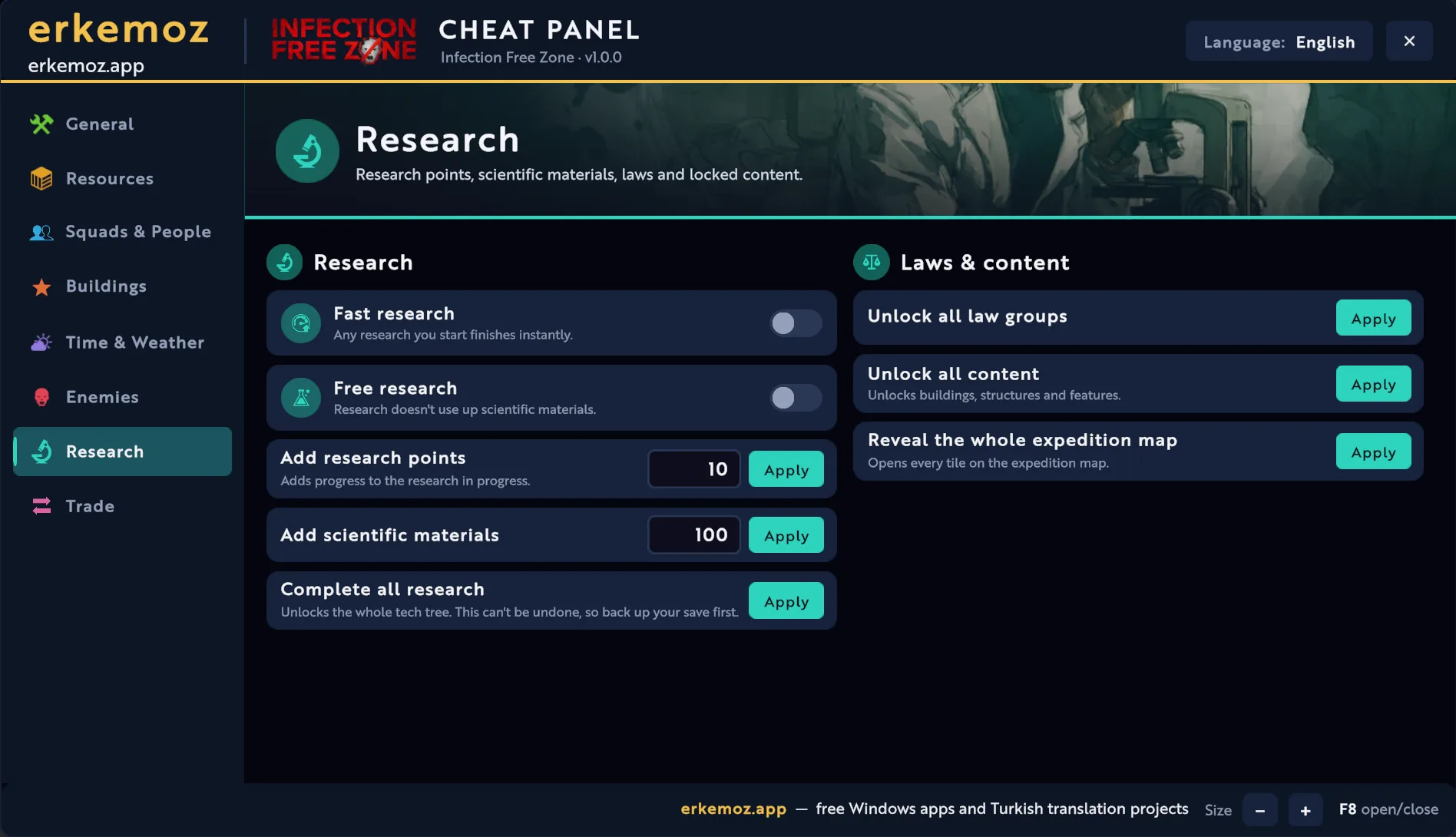
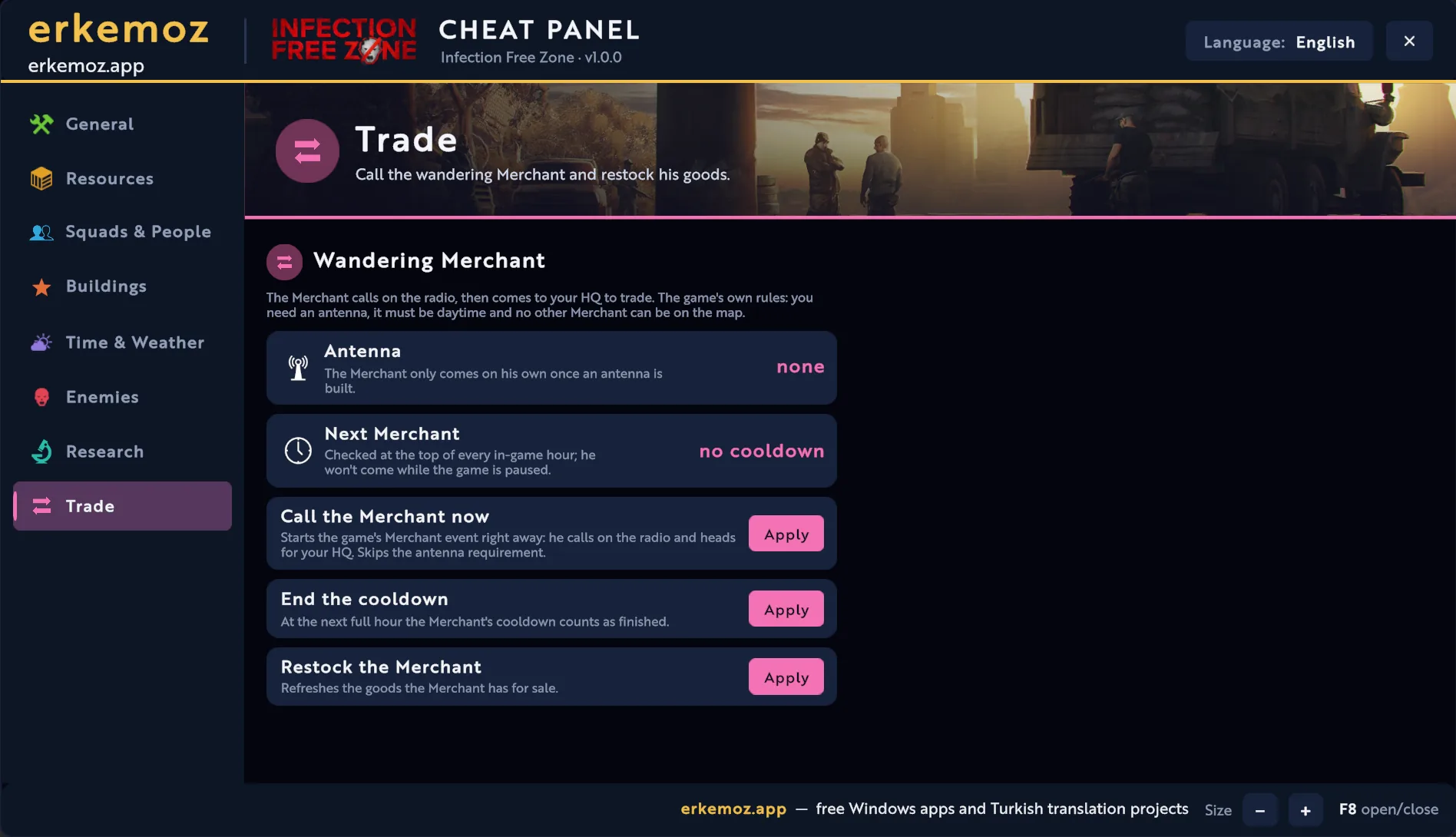
Screenshots taken in the game. The panel opens in any of 8 languages; on this page it's shown in this page's language. Click to enlarge.

How to open it

  1. Start the game from Steam as usual.
  2. Load a save or start a new game.
  3. Press F8. Close the panel with the same key or the X in the top-right corner; drag it by its title bar and resize it with − / + at the bottom.

What's inside

  • General: the game's hidden developer cheats (fast construction, fast scavenging, infinite ammo, no hunger, perfect morale) plus ×1–×20 speed for construction, dismantling, production, gathering and research.
  • Resources: set any resource, shown with its in-game icon, to the amount you want; add, reduce, clear. Quick packs for building materials, food, ammo & fuel, weapons & gear.
  • Squads & People: unlimited health or a 66% / 33% health cap for soldiers, heal everyone, immortal citizens, add workers to HQ, send immigrants, babies, reset sickness chance.
  • Buildings: indestructible buildings or only indestructible defenses, repair all structures, restore the selected structure's health and set its storage capacity.
  • Time & Weather: shift or set the clock, freeze the day, game speed up to ×10, perfect weather, weather forecast points, block the Supermoon.
  • Enemies: 66% / 33% health cap, easy kills, wipe out all enemies or hordes (your own soldiers are left alone), reveal hideouts and lairs, aggression level.
  • Research: fast and free research, research points, scientific materials, complete all research, unlock all law groups and content, reveal the expedition map.
  • Trade: call the wandering Merchant instantly (even without an antenna), end his cooldown, restock his goods, time until the next Merchant.

Easiest: with Erkemoz - Game Mods

  1. Download and install Erkemoz - Game Mods. It's free.
  2. It finds your Steam and Ubisoft Connect games by itself. In “Library”, click “Install” on the game's card.
  3. When a new version is out, an “Update” button appears on the card. Turn on “Install new patch versions automatically” in Settings and it updates by itself.
  4. If a game update breaks the patch, Game Mods sets it aside and reinstalls it once a compatible version is out.

With the installer (recommended)

  1. Click “Download installer” on this page and run the downloaded file.
  2. If Windows shows "Windows protected your PC" (SmartScreen), click "More info" → "Run anyway". This warning appears because the program isn't signed with a paid certificate yet.
  3. The installer finds the game folder by itself; if it can't, you pick the folder where the game is installed.

Without the installer

  1. Download the zip from the “No-installer package (zip)” link and extract it to a folder.
  2. In Steam, right-click the game → Manage → Browse local files.
  3. Copy everything from the zip into the game folder that opens (the one with “Infection Free Zone.exe”); the Okubeni and KURULUM files aren't needed.
  4. Result: winhttp.dll, doorstop_config.ini and a BepInEx folder in the game folder; the panel is BepInEx\plugins\IfzHilePaneli.dll.

Frequently asked questions

I press F8 and the panel doesn't open.

The panel opens after a save is loaded, not in the main menu. Load a save or start a new game, then press F8. If it still won't open, check BepInEx\LogOutput.log in the game folder for the line “Hile paneli hazır”.

Will the cheats break my save?

Ongoing effects in the panel (immortality, speeds, frozen day…) switch off when you load a save or return to the main menu. “Built-in game cheats” are the game's own settings and are stored in your save; turn them off to go back to normal. “Complete all research” and “Unlock all content” can't be undone, so back up your save first.

Can I use a key other than F8?

Yes. In the game folder, open BepInEx\config\erkemoz.ifz.hilepaneli.cfg and change Kisayol = F8 (for example to F9 or Insert).

The Merchant never comes. Why?

For the wandering Merchant to come, the game needs an antenna, it must be daytime and no other Merchant can be on the map; he never comes while the game is paused. The “Call the Merchant now” button in the panel's Trade tab gets him on the radio right away, even without an antenna.

Does it work with other BepInEx mods?

Yes. The panel is a regular BepInEx plugin. Setup backs up any existing BepInEx files, and when uninstalling it removes BepInEx only if it installed it and no other plugins are left.

Windows says “Windows protected your PC” when I open the installer. Is it safe?

Windows SmartScreen shows this warning because the installers aren't signed with a paid code-signing certificate. Click “More info → Run anyway”. If you like, compare the file's SHA-256 fingerprint with the one in the release notes on GitHub.

What's the easiest way to stay up to date?

Erkemoz - Game Mods. It installs new versions by itself; if a game update breaks a patch or panel, it sets it aside and reinstalls it once a compatible version is out. If you downloaded it manually from this page, check back here for new versions.

I found a bug or a missing translation. Where do I report it?

Write to [email protected]. A screenshot makes the problem easier to find; fixes are published in a new version.

Uninstalling

Control Panel → Programs → “Infection Free Zone Cheat Panel”, or InfectionFreeZone_Hile_Kaldir.exe in the game folder. If you installed without the exe, delete BepInEx\plugins\IfzHilePaneli.dll; if you use no other mods, you can also delete winhttp.dll, doorstop_config.ini and the BepInEx folder.

Good to know

  • The patches are unofficial; games and their names belong to their owners. Play with your own copy of the game.
  • The patches and cheat panels were made and tested on the Steam versions of the games. If one doesn't work on another version such as Epic Games, GOG or Xbox / Game Pass, write to me and we'll look into it together.
  • Found a bug or a missing translation? Write to me: [email protected]

Find the tools useful?

They're free and will stay free. If one saved you some time, you can buy me a coffee — it helps keep new programs coming.

Buy me a coffee