Skip to content
erkemozerkemoz.app
← Game Patches, Mods & Cheats

The Infected Cheat Panel

Free in-game cheat panel / trainer (hile paneli). Installs with one click.

The Infected Cheat Panel v1.0

Steam · Mod

A colourful in-game cheat panel that opens with F7: immortality, keep every meter in the bottom right full, add any item in any quantity, free building, unlimited durability, control time and weather. In 8 languages.

No-installer package (zip) →

About

A free in-game cheat panel (trainer) for The Infected. Press F7 in the game and a window lets you become immortal, keep the hunger, thirst, fatigue, temperature and oxygen meters in the bottom right full, and find any item in the game by its icon and add as many as you like to your inventory.

For building and crafting there's free building, every structure without the tech requirements, tools and weapons that never wear out and fast gathering; for the world there's the time of day, time speed, rain and peace mode. The panel speaks 8 languages and follows your game language automatically. Setup installs the UE4SS mod loader too and never touches the original game files.

At a glance

  • Opens with F7; the hotkey can be changed
  • 6 pages: Player, Survival, Items, Building & Crafting, World, Settings
  • 8 languages: Türkçe, English, Deutsch, Français, Español, Português, Italiano, Русский
  • UE4SS comes with the installer; nothing else to install

Screenshots

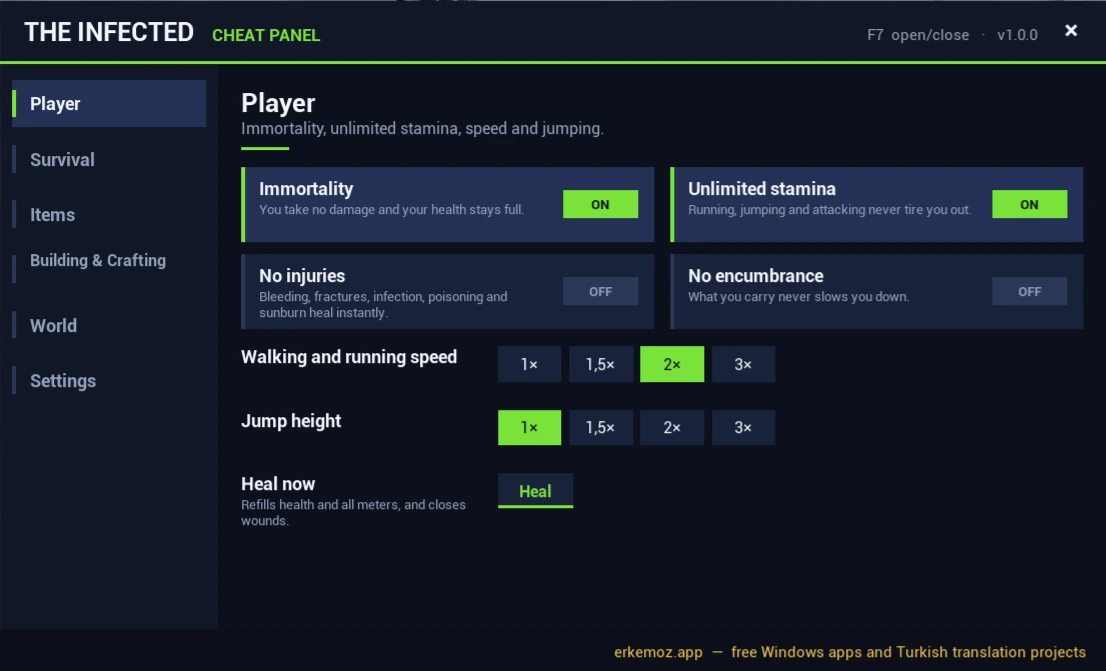
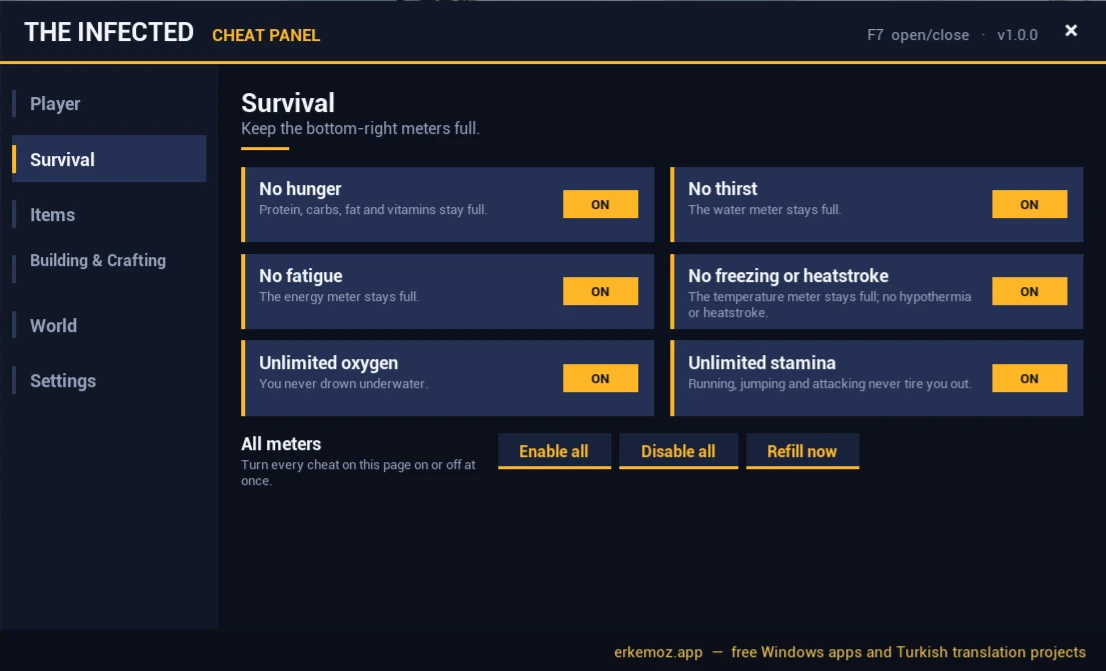
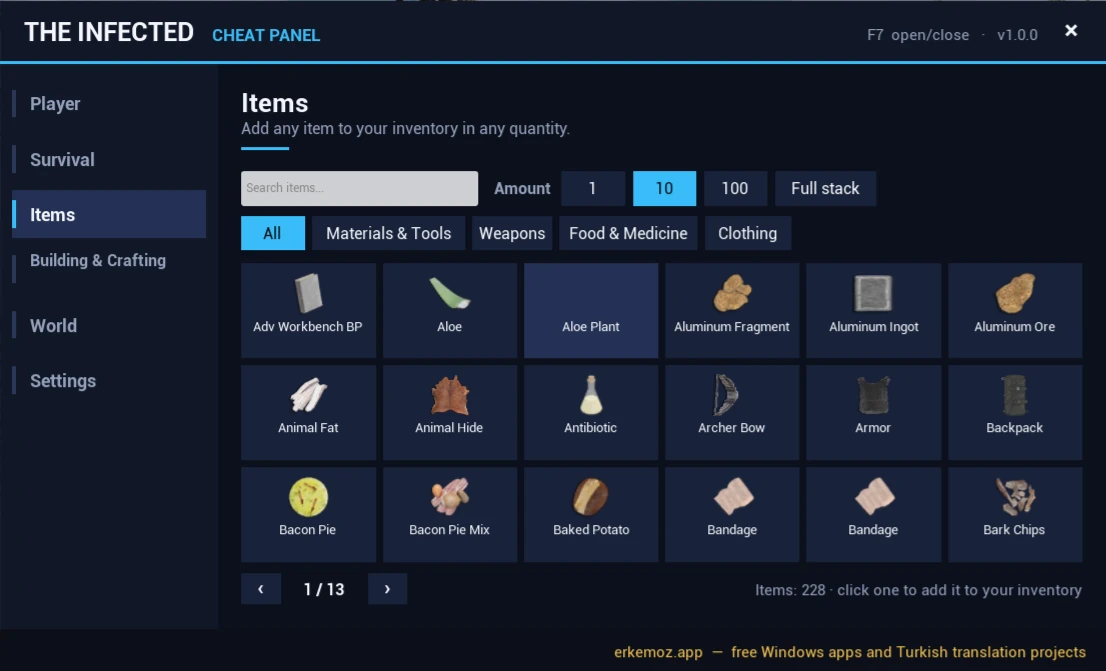
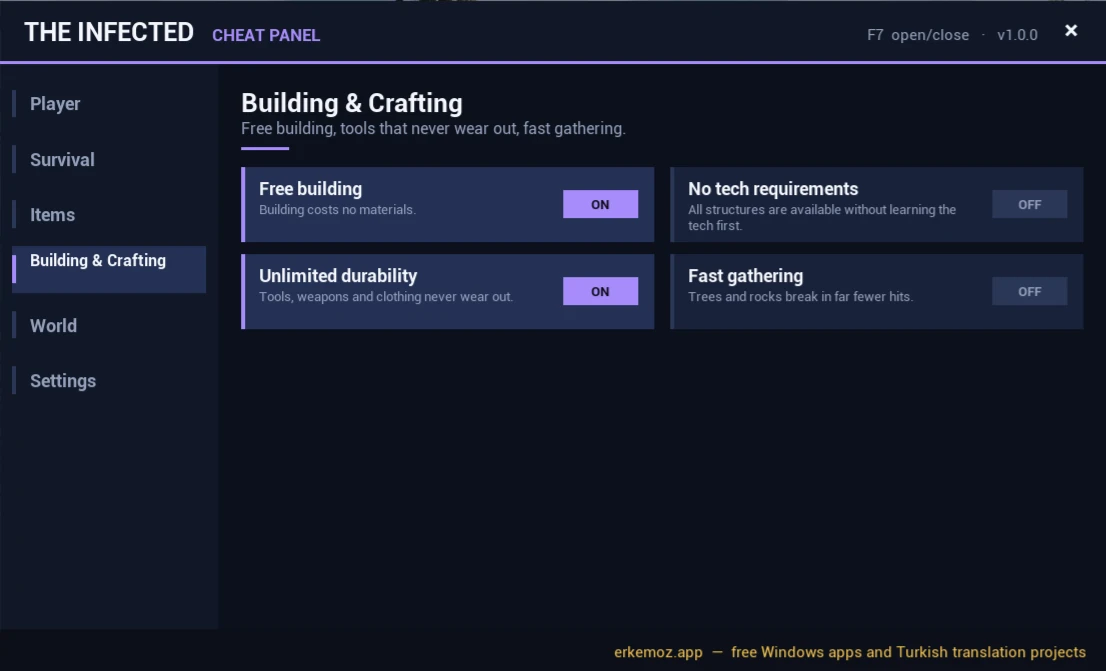
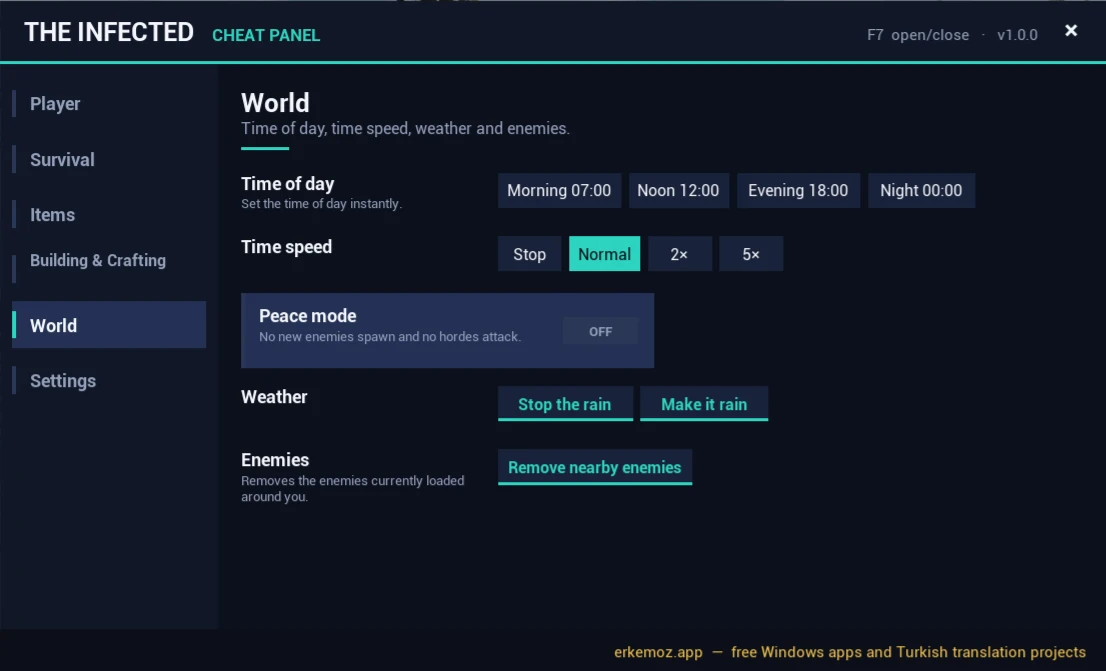
Screenshots taken in the game. The panel opens in any of 8 languages; on this page the panel and the item names are shown in this page's language. Click to enlarge.

How to open it

  1. Start the game from Steam as usual.
  2. Load a save or start a new game.
  3. Press F7. Close the panel with F7 again, with Esc or with the X in the top-right corner; the mouse cursor appears while it's open.

What's inside

  • Player: immortality, unlimited stamina, no injuries (bleeding, fractures, infection, poisoning, sunburn), no encumbrance, ×1–×3 walking/running speed and jump height, one-click healing.
  • Survival: keep the meters in the bottom right full: hunger (protein, carbs, fat, vitamins), thirst, fatigue, temperature (no hypothermia or heatstroke), oxygen and stamina; turn them all on or off with one button.
  • Items: see every item in the game with its icon, search, filter by category and add 1, 10, 100 or a full stack to your inventory.
  • Building & Crafting: free building, no tech requirements, unlimited durability, fast gathering.
  • World: set the clock to morning, noon, evening or night; stop time or speed it up ×2 / ×5; stop or start the rain; peace mode; remove nearby enemies.
  • Settings: panel language, panel size, turn every cheat off with one button.

Easiest: with Erkemoz - Game Mods

  1. Download and install Erkemoz - Game Mods. It's free.
  2. It finds your Steam and Ubisoft Connect games by itself. In “Library”, click “Install” on the game's card.
  3. When a new version is out, an “Update” button appears on the card. Turn on “Install new patch versions automatically” in Settings and it updates by itself.
  4. If a game update breaks the patch, Game Mods sets it aside and reinstalls it once a compatible version is out.

With the installer (recommended)

  1. Click “Download installer” on this page and run the downloaded file.
  2. If Windows shows "Windows protected your PC" (SmartScreen), click "More info" → "Run anyway". This warning appears because the program isn't signed with a paid certificate yet.
  3. The installer finds the game folder by itself; if it can't, you pick the folder where the game is installed.

Without the installer

  1. Download the zip from the “No-installer package (zip)” link and extract it to a folder.
  2. In Steam, right-click the game → Manage → Browse local files.
  3. Copy everything from the zip into the game folder that opens (the one with “TheInfected.exe”); the Okubeni, KURULUM and licence files aren't needed. The TheInfected folder merges with the game's.
  4. Result: dwmapi.dll and a ue4ss folder in TheInfected\Binaries\Win64; the panel is ue4ss\Mods\TheInfectedHilePaneli.

Frequently asked questions

I press F7 and the panel doesn't open.

The panel opens after a save is loaded, not in the main menu. Load a save or start a new game, then press F7. If it still won't open, check TheInfected\Binaries\Win64\ue4ss\UE4SS.log in the game folder for the line “Hile paneli hazır”.

Will the cheats break my save?

The cheats you turn on aren't written to your save; they switch off when you close the game or load another save. “Disable all” on the Settings page restores the game's own values right away. Items you add really go into your inventory and stay in your save if you save the game.

Can I use a key other than F7?

Yes. In the game folder, open TheInfected\Binaries\Win64\ue4ss\Mods\TheInfectedHilePaneli\ayarlar.ini and change kisayol=F7 (for example to F6, F9, INS or HOME). F8 and F1–F4 are the game's own keys, so don't pick those.

Why are item names in the game's language?

Item names come from the game's own translation, so they appear in whatever language the game is set to. The panel's own text follows the language you pick on the Settings page, or the game's language with “Auto”.

Windows says “Windows protected your PC” when I open the installer. Is it safe?

Windows SmartScreen shows this warning because the installers aren't signed with a paid code-signing certificate. Click “More info → Run anyway”. If you like, compare the file's SHA-256 fingerprint with the one in the release notes on GitHub.

What's the easiest way to stay up to date?

Erkemoz - Game Mods. It installs new versions by itself; if a game update breaks a patch or panel, it sets it aside and reinstalls it once a compatible version is out. If you downloaded it manually from this page, check back here for new versions.

I found a bug or a missing translation. Where do I report it?

Write to [email protected]. A screenshot makes the problem easier to find; fixes are published in a new version.

Uninstalling

Control Panel → Programs → “The Infected Cheat Panel”. If you installed it without the exe, delete TheInfected\Binaries\Win64\ue4ss\Mods\TheInfectedHilePaneli; if you use no other UE4SS mods, you can also delete dwmapi.dll and the ue4ss folder there.

Good to know

  • The patches are unofficial; games and their names belong to their owners. Play with your own copy of the game.
  • The patches and cheat panels were made and tested on the Steam versions of the games. If one doesn't work on another version such as Epic Games, GOG or Xbox / Game Pass, write to me and we'll look into it together.
  • Found a bug or a missing translation? Write to me: [email protected]

Find the tools useful?

They're free and will stay free. If one saved you some time, you can buy me a coffee — it helps keep new programs coming.

Buy me a coffee